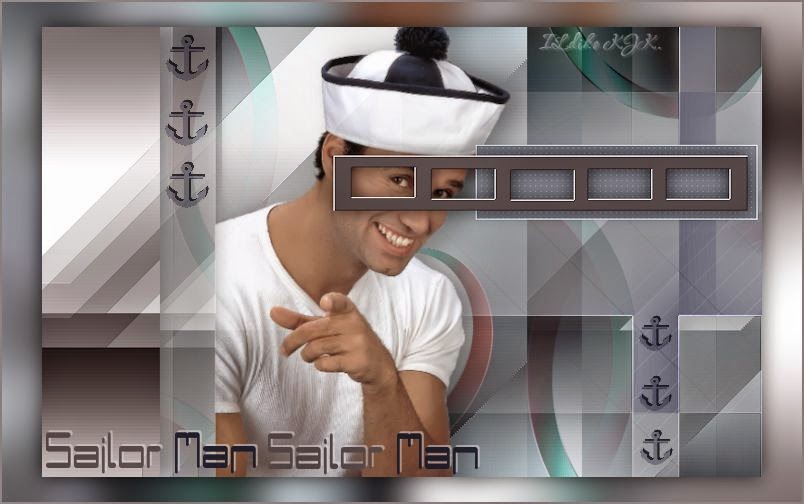
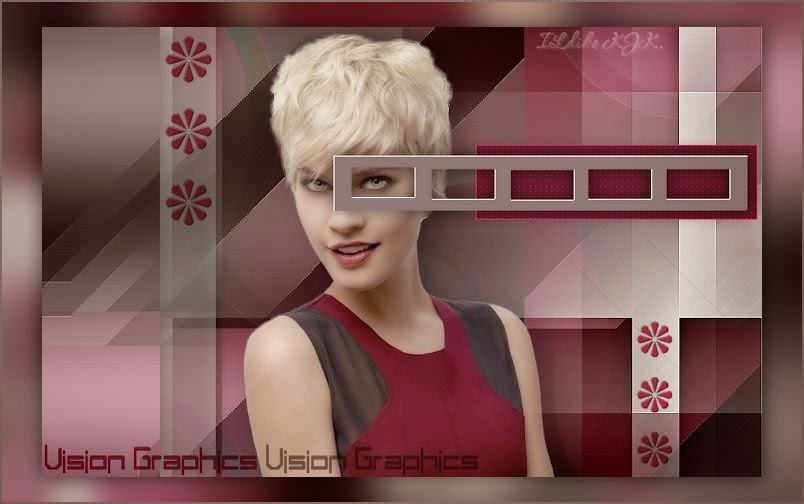
Vision_Gaphics
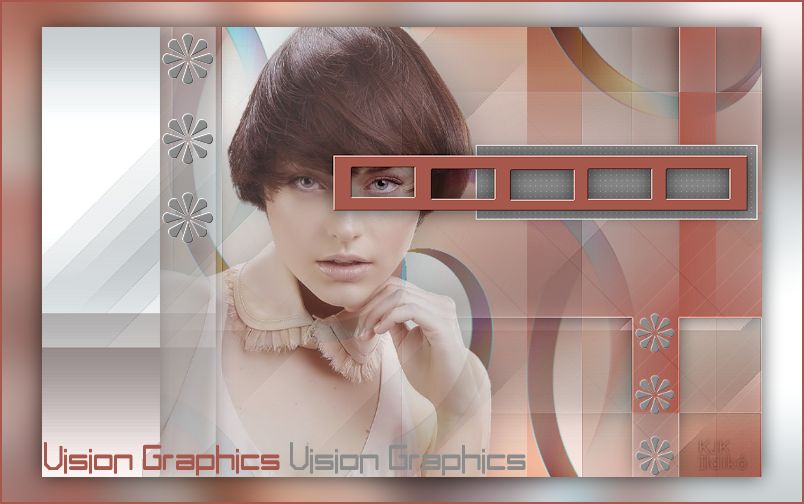
The materials used are owned by Ildiko KJK exclusive, non-used by other authors in writing or club.
Please try to respect my request : Thank You
A felhasznált kellékek saját tulajdonom, én magam készítettem, más weboldalon sajátként feltüntetni TILOS !
Ellenkező esetben az illető vagy weboldal felkerül az általam létre hozott fekete listára,
hogy mindenki láthassa nem korrekt szerkesztő.

Translations
Thank you for the work of the translators.


Plugin
Mehdi : Wavy Lab
MuRa's Meister : Pole Transform
L en K landksiteofwonders : L en K' s Paris
Carolaine ind Sensibility : CS-LDots
Filters Unlimited 2 :
WM Extravaganza : Picture in a picture
VM Colorize : Biohazard
Toadies : Weaver
MuRa's Seampless : Emboss at Alpha
Buttons & Frame : Mirrored Frame
Toadies : Whate are you ?
Kellékek
"Vision Graphics Maszk" .... "Vision Graphics selection 1"
"Vision Graphics selection 2" .... "Vision Graphics selection 3"
"Vision Graphics virag" .... "Vision Graphics szoveg"
"Vision Graphics noci" .... "Vision Graphics szinminta"
Download « Vision Graphics kellékek.rar »
Szín
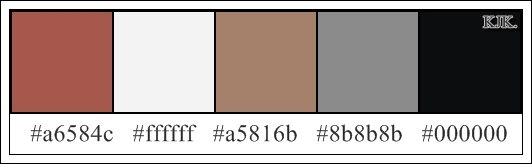
Foreground : #ffffff

Backgound : #a6584c
01.
File : New : 800x500 pixel
Effects : Plugins : Mehdi : Wavy Lab

Effects : Distortion Effects : Pixelate

Layers : Duplicate
02.
Effects : Geometric Effects : Skew

Effects : Edge Effects : Enhance
Most ezt a réteget duplázd meg, a felső réteget tedd láthatatlanná
az alatta levő rétegen pedig folytasd a munkát
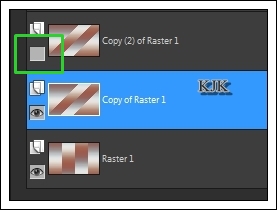
Effects : Plugins : Filters Unlimited 2 :
WM Extravaganza : Picture in a picture
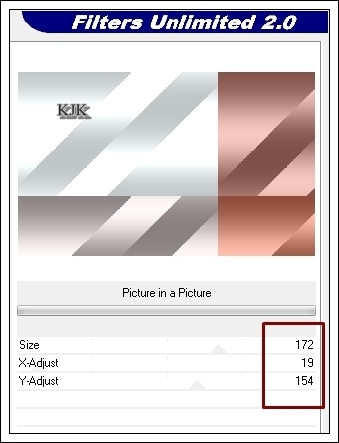
03.
Most katt a vissza felső rétegre, tedd láthatóvá majd folytasd.

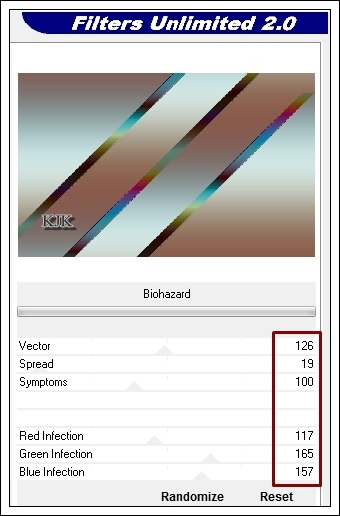
Effects : Plugins : Filters Unlimited 2 : VM Colorize : Biohazard
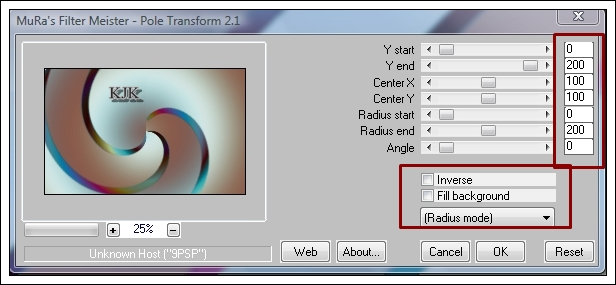
Effects : Plugins : MuRa's Meister : Pole Transform
Effects : Image Effects : Seamless Tiling

04.
Layers : New Raster Layer
Flood Fill Tool : #a6584c
Layers : Load/Save Mask : Load Mask
From Disc : "Vision Graphics Maszk"
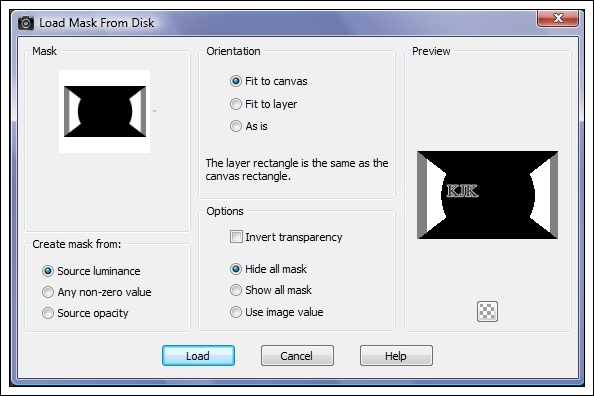
Layers : Merge : Merge Group
Effects : Plugins : Filters Unlimited 2 : Toadies : Weaver
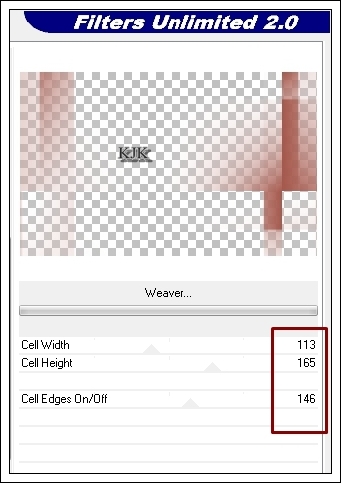
Effects : Edge Effects : Enhance
Effects : 3D Effects : Dropp Shadow : 0/0/65/30/#000000
Effects : Plugins : L en K landksiteofwonders : L en K' s Paris

05.
Most lépjél vissza a 2. rétegre, katt és duplázd meg.

Layers : Duplicate
Fogd meg és húzd fel felső rétegnek.

Selections : Load/Save Selection : Load Selection From Disc : "Vision Graphics selection 3"

Most nyomd meg a Delete billentyűdet.
Selections : Select None
Effects : Plugins : Filters Unlimited 2 : Toadies : Whate are you ?

Effects : 3D Effects : Dropp Shadow : 0/0/65/30/#000000
06.
Most katt vissza a második rétegre.
Layers : Properties : Normal : 65
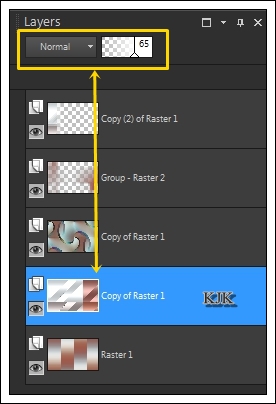
Most katt a harmadik rétegre.
Layers : Properties : Hard Light : 50
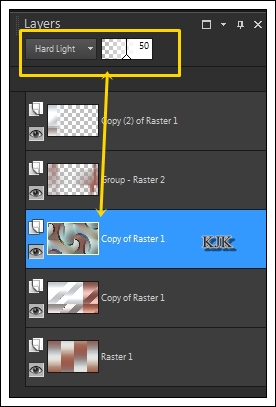
Most így néz ki a képed :

07.
Most rá másoljuk a képünkre a "Vision Graphics noci"
Edit : Copy
Edit : Paste As New Layers
Move Toll segítségével a helyére tesszük.
Most fogd meg ezt a réteget, és húzd egy réteggel lejjebb.

08.
Layers : New Raster Layer
Selections : Load/Save Selection : Load Selection From Disc : "Vision Graphics selection 2"
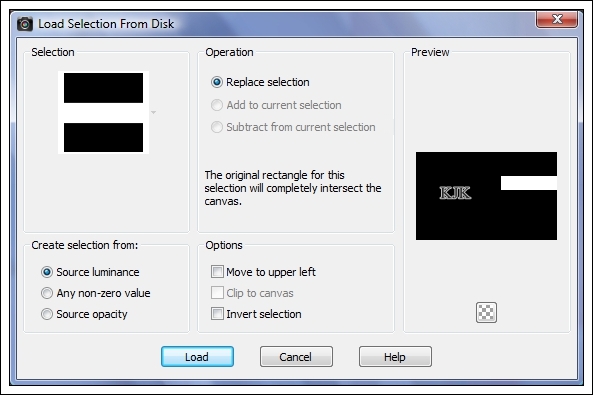
Flood Fill Tool : #8b8b8b
Effects : Edge Effects : Enhance
Effects : Plugins : Carolaine ind Sensibility : CS-LDots
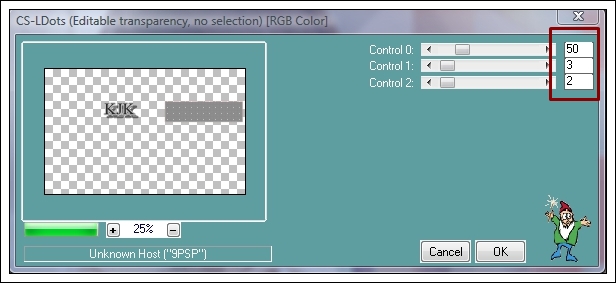
09.
Layers : New Raster Layer
Selections : Load/Save Selection : Load Selection From Disc : "Vision Graphics selection 1"
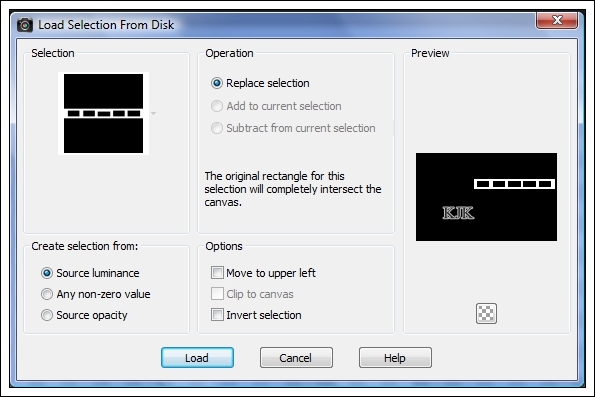
Flood Fill Tool : #a6584c
Effects : Plugins : Filters Unlimited 2 : MuRa's Seampless : Emboss at Alpha

Effects : 3D Effects : Dropp Shadow : 0/0/65/30/#000000
10.
Layers : Merge : Merge All (Flatten)
Layers : Duplicate
Most a felső réteget tedd láthatatlanná, és katt vissza az alsó rétegre.

Adjust : Blur : Gaussian Blur
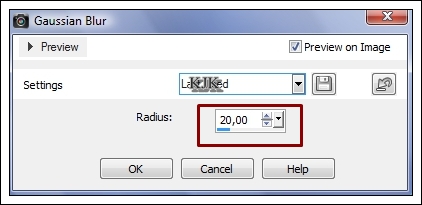
Effects : Plugins : Filters Unlimited 2 : Buttons & Frame : Mirrored Frame

Most katt vissza a felső rétegre, és tedd láthatóvá a réteget.
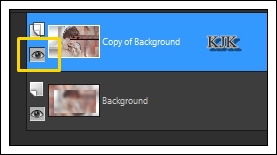
Image : Resize : 90
Effects : 3D Effects : Dropp Shadow : 0/0/65/30/#000000
11.
Most rá másoljuk a képünkre a "Vision Graphics virag"
Edit : Copy
Edit : Paste As New Layers
Move Toll segítségével a helyére tesszük.
12.
Most rá másoljuk a képünkre a "Vision Graphics szoveg"
Edit : Copy
Edit : Paste As New Layers
Move Toll segítségével a helyére tesszük.
13.
Layers : Merge : Merge All (Flatten)
Image : Add Borders : Symmetric : 2 : #a6584c
14.
Layers : Merge : Merge All (Flatten)
File : Save As : JPEG : Mentés
****
Más színben