
Priscilla

A felhasznált kellékek saját tulajdonom, én magam készítettem, más weboldalon sajátként feltüntetni TILOS !
Ellenkező esetben az illető vagy weboldal felkerül az általam létre hozott fekete listára,
hogy mindenki láthassa nem korrekt szerkesztő.

Translations
Thank you for the work of the translators.


Plugins
Flaming Pear : Flood
< I.C.NET Software > : Filters Unlimited 2 :
Filter Factory Gallery G : Bevel 2
[AFS IMPORT] : sqborder2
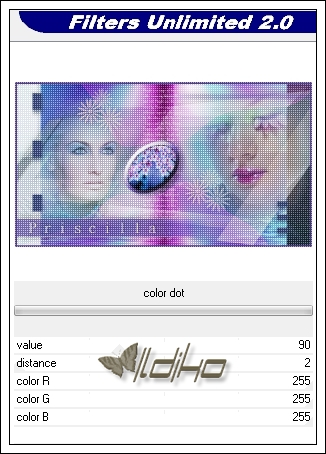
penta.com : color dot
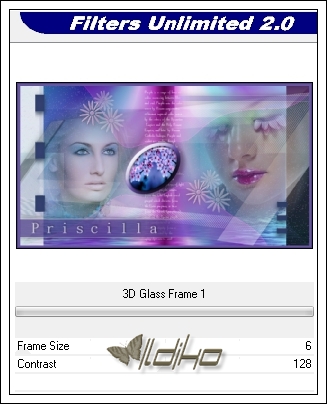
Buttons & Frames : 3D Glass Frame 1
Materials
Ildiko_Design@Priscilla_Mask_1 *** Ildiko_Design@Priscilla_Mask_2
Ildiko_Design@Priscilla_Mask_3
Ildiko_Design@Priscilla_Women_1 *** Ildiko_Design@Priscilla_Women_2
Ildiko_Design@Priscilla_Deco_1 *** Ildiko_Design@Priscilla_Deco_2
Ildiko_Design@Priscilla_Deco_3 *** Ildiko_Design@Priscilla_Deco_4
Ildiko_Design@Priscilla_Deco_5
Ildiko_Design@Priscilla_Background
Ildiko_Design@Priscilla_Colors
Download « Priscilla Materials.rar »
Color
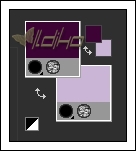
#cab5d6 #513f89 #3c0435 #000000

Foreground : #3c0435
01.
File : Open : Ildiko_Design@Priscilla_Background
Layers : Promote Background Layers
Effects : Plugins : < I.C.NET Software > : Filters Unlimited 2 : Filter Factory Gallery G : Bevel 2


02.
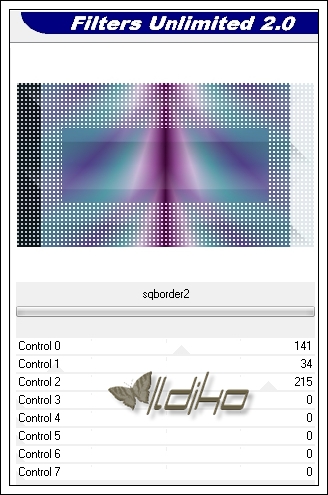
Effects : Plugins : < I.C.NET Software > : Filters Unlimited 2 : [AFS IMPORT] : sqborder2

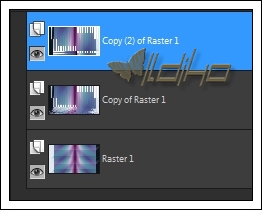
Layers : Duplicate
Now click on the middle layer

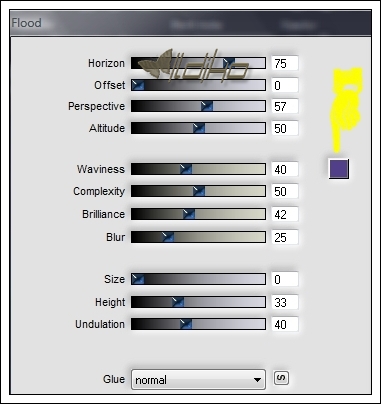
Effects : Plugins : Flaming Pear : Flood : #513f89
Layers : Properties : Overlay : 100
Now click on the top layer
03.
Effect : Geometric Effect : Perspective-Horizontal : -45

Effect : Geometric Effect : Skew : Horizontal : 35

Effects : 3D Effects : Dropp Shadow : 0/0/60/30/#000000

04.
File : Open : Ildiko_Design@Priscilla_Women_1
Edit : Copy
Edit : Paste As New Layer
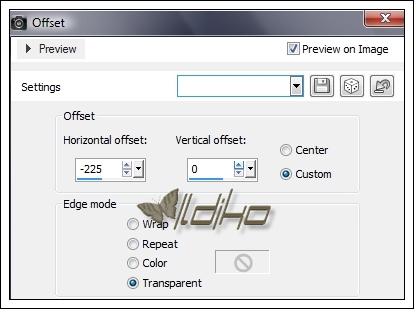
Effect : Image Effect : Offset : -225,0
05.
File : Open : Ildiko_Design@Priscilla_Women_2
Edit : Copy
Edit : Paste As New Layer
Objects : Align : Top
Objects : Align : Right
Layers : New Raster Layer
06.
Flood Fill Tool : #3c0435
File : Open : Ildiko_Design@Priscilla_Mask_1
Layers : New Mask Layer : From Image

Layers : Merge : Merge Group
Effects : Edge Effects : Enhance More
Effects : 3D Effects : Dropp Shadow : 0/0/60/30/#000000
Layers : Properties : Screen : 100
Layers : New Raster Layer
07.
Flood Fill Tool : #cab5d6
File : Open : Ildiko_Design@Priscilla_Mask_1
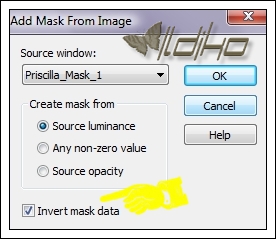
Layers : New Mask Layer : From Image : Invert mask data
Layers : Merge : Merge Group
Effects : Edge Effects : Enhance More
Layers : Properties : Dissolve : 1
08.
File : Open : Ildiko_Design@Priscilla_Deco_1
Edit : Copy
Edit : Paste As New Layer
09.
File : Open : Ildiko_Design@Priscilla_Deco_2
Edit : Copy
Edit : Paste As New Layer
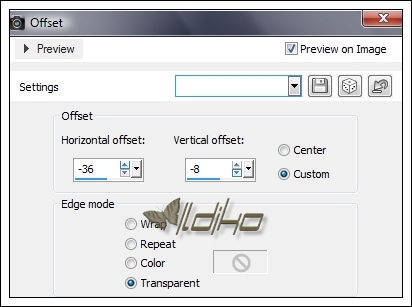
Effect : Image Effect : Offset : -36,-8
Effects : 3D Effects : Dropp Shadow : 7/14/30/17/#000000
10.
File : Open : Ildiko_Design@Priscilla_Deco_3
Edit : Copy
Edit : Paste As New Layer
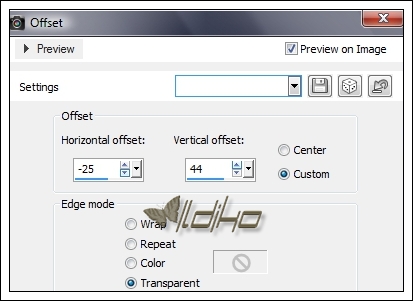
Effect : Image Effect : Offset : -25,44
11.
File : Open : Ildiko_Design@Priscilla_Deco_4
Edit : Copy
Edit : Paste As New Layer
Layers : New Raster Layer
12.
Flood Fill Tool : #513f89
File : Open : Ildiko_Design@Priscilla_Mask_2
Layers : New Mask Layer : From Image

Layers : Merge : Merge Group
Effects : Edge Effects : Enhance More
Effect : Distortions Effect : Wind : 2x

Effects : 3D Effects : Dropp Shadow : 0/0/60/30/#000000
Layers : Properties : Normal : 75
Layers : New Raster Layer
13.
Flood Fill Tool : #513f89
File : Open : Ildiko_Design@Priscilla_Mask_3
Layers : New Mask Layer : From Image
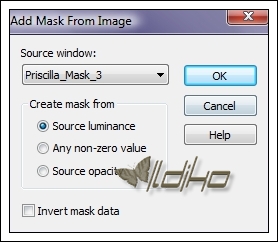
Layers : Merge : Merge Group
Effects : Edge Effects : Enhance More
Effect : Distortions Effect : Wind : 2x
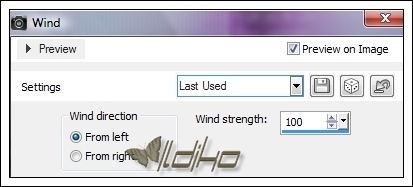
Effects : 3D Effects : Dropp Shadow : 0/0/60/30/#000000
Layers : Properties : Normal : 40
14.
File : Open : Ildiko_Design@Priscilla_Deco_5
Edit : Copy
Edit : Paste As New Layer
Effect : Image Effect : Offset : -216,-194
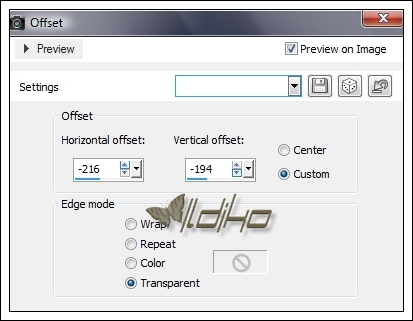
Layers : Merge : Merge All (Flatten)
15.
Image : Add Borders : Symmetric : 6 : #513f89
Selections : Select All
Selections : Modyfi : Select Selection Borders : 6
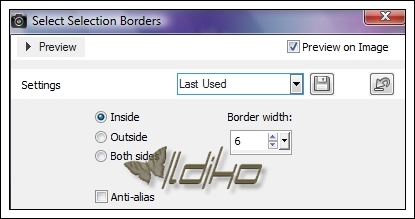
Effects : Plugins : < I.C.NET Software > : Filters Unlimited 2 : penta.com : color dot
Selections : Select None
Image : Add Borders : Symmetric : 6 : #513f89
Effects : Plugins : < I.C.NET Software > : Filters Unlimited 2 : Buttons & Frames : 3D Glass Frame 1
16.
File : Save As : JPG. file : Save