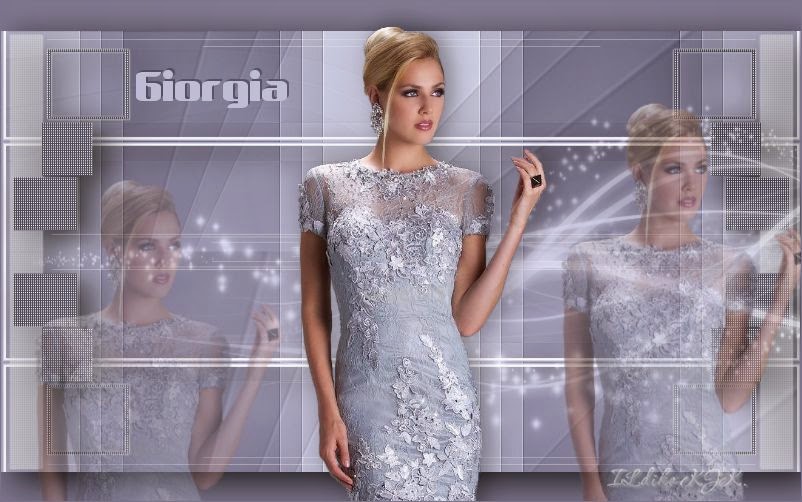
The materials used are owned by Ildiko KJK exclusive, non-used by other authors in writing or club.
Please try to respect my request : Thank You
A felhasznált kellékek saját tulajdonom, én magam készítettem, más weboldalon sajátként feltüntetni TILOS !
Translations
Thank you for the work of the translators.


Pluginok
Flexify 2 Simple : Top Bottom Wrap
Filters Unlimited 2 :
RCS Filters Pak 1.0 : RCS TripleExposure
Background Designers IV : sf 10 Diamond Flip
Bkg Designers sf 10 IV : @Instant Tile
Buttons & Frames : Glass Frame 3
Graphics Plus : Quick Tile
IAFS IMPORT : sqborder2
Kellékek
1 db színminta .... 1 db nőcis kép
1 db fantázia név .... 2 db maszk
Download « Giorgia kellekek.rar »
Színek
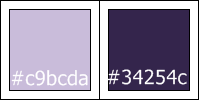
Foreground : #c9bcda

Backgound : #34254c
01.
File : New : 800 x 500 pixel
Flood Fill Tool : #34254c
Layers : New Raster Layer
Materials Propertes : Gradient

Effects : Plugins : Simple : Top Bottom Wrap
Effects : Plugins : Filters Unlimited 2 : RCS Filters Pak 1.0 : RCS TripleExposure

Effects : Plugins : Filters Unlimited 2 : Background Designers IV : sf 10 Diamond Flip

Effects : Plugins : Filters Unlimited 2 : Bkg Designers sf 10 IV : @Instant Tile

Effects : Edge Effects : Enhance
Layers : Duplicate
02.
Effects : Plugins : Flexify 2

Effects : Plugins : Simple : Top Bottom Wrap
Layers : Properties : Multiply : 50
03.
Layers : New Raster Layer
Flood Fill Tool : #34254c
Effects : Plugins : Filters Unlimited 2 : Buttons & Frames : Glass Frame

Magic Wand Tool : katt a kép közepére : billentyűzet = Delete
Selections : Select None
Most így néz ki a képed :

04.
Effects : Plugins : Simple : Top Bottom Wrap
Effects : Plugins : Filters Unlimited 2 : Graphics Plus : Quick Tile I

Effects : 3D Effect : Drop Shadow

05.
Layers : New Raster Layer
Flood Fill Tool : #34254c
Layers : Load/SaveMask : Load Mask From Disk : "Giorgia maszk egy"

Layers : Merge : Merge Group
Effects : Plugins : Filters Unlimited 2 : AFS IMPORT : sqborder2

Effects : Plugins : Filters Unlimited 2 : Graphics Plus : Quick Tile I

Effects : 3D Effect : Drop Shadow

06.
Layers : New Raster Layer
Flood Fill Tool : #c9bcda
Layers : Load/SaveMask : Load Mask From Disk : "Giorgia maszk ketto"

Layers : Merge : Merge GroupLayers : Properties : Luminance (legancy) : 70
07.
Most elkezdjük egyesíteni a réteginket ( lentről indulunk)
Layers : Merge : Merge Down

08.
Ha követted a leírást akkor így néz ki a réteg palettád :
A megjelöltön dolgozunk tovább.

Katt a Pick Tool-ra, és a képen látható módon kicsit zsugorítunk a rétegünkön.

Layers : Merge : Merge Down
Magic Wand Tool katt a kijelölt részbe : a képen látott módon.
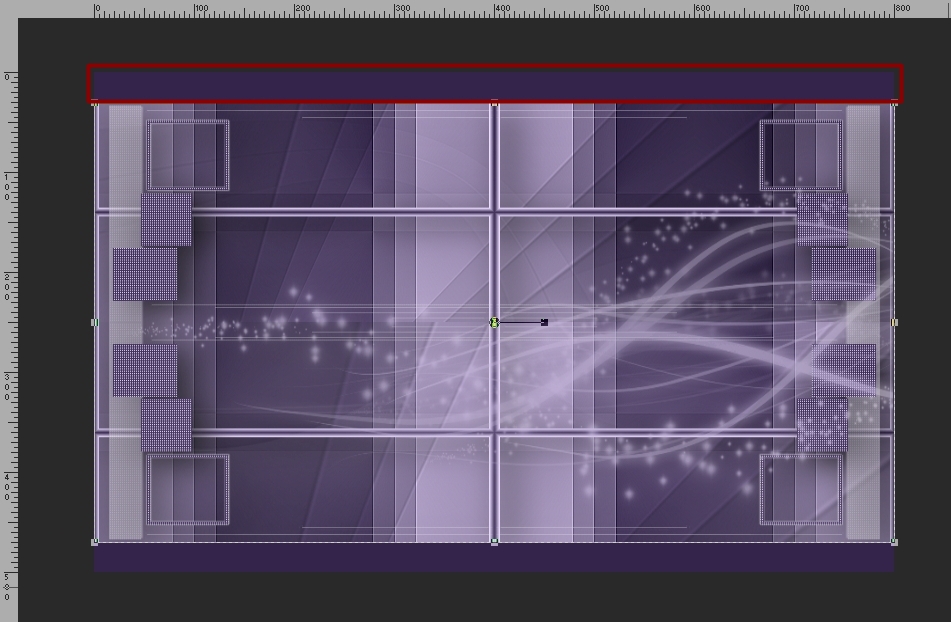
Effects : 3D Effect : Drop Shadow

09.
Most rakjuk rá a képünkre a nőcit, majd a kép fantázia nevét.
Edit : Copy
Edit : Paste As New Layers
Move Toll elhelyezzük a képünkre.
10.
Layers : Merge : Merge All (Flatten)
Image : Add Borders

11.
File: Save As : jpg file : Mentés
****
Más színben