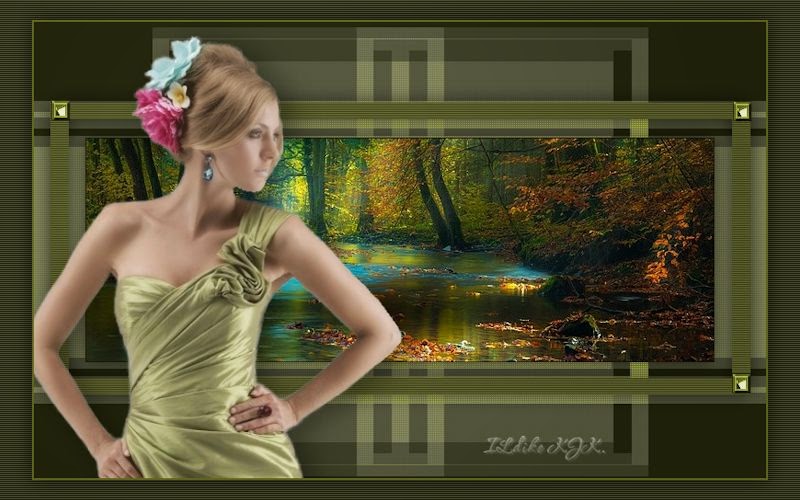
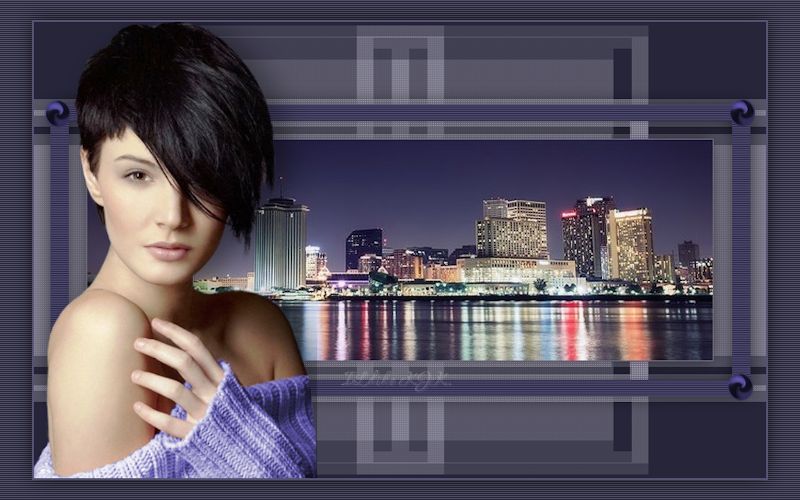
Blue_City
The materials used are owned by Ildiko KJK exclusive, non-used by other authors in writing or club.
Please try to respect my request : Thank You
A felhasznált kellékek saját tulajdonom, én magam készítettem, más weboldalon sajátként feltüntetni TILOS !
Ellenkező esetben az illető vagy weboldal felkerül az általam létre hozott fekete listára,
hogy mindenki láthassa nem korrekt szerkesztő.

Translations
Thank you for the work of the translators.


Plugin
Fileters Unlimited 2 :
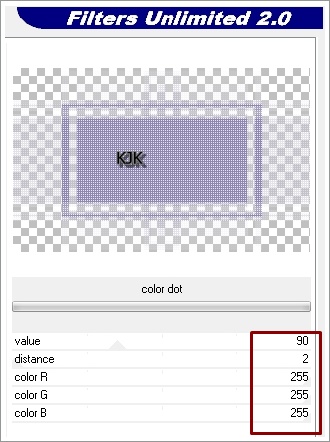
penta.com : color dot
penta.com : VTR2
Kellékek
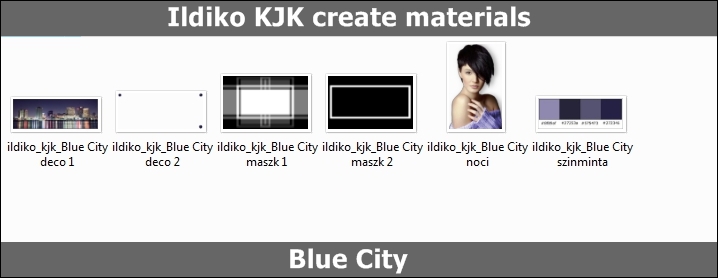
"Blue City maszk 1" .... "Blue City maszk 2"
"Blue City deco 1" .... "Blue City deco 2"
"Blue City noci" .... "Blue City szinminta"
Download « Blue City kellekek.rar »
Szín

Foreground : #8f89af

Background : #27253a
01.
File : New : 800 x 500 pixel
Flood Fill Tool : #27253a
Layers : New Raster Layers
02.
Flood Fill Tool : #8f89af
Layers : Load/Save Mask : Load Mask From Disk : "Blue City maszk 1"
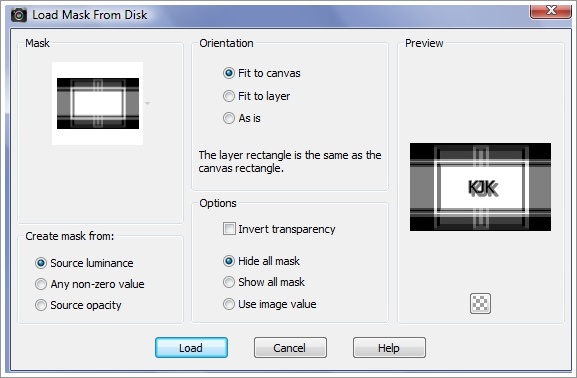
Layers : Merge : Merge Group
Effects : Plugins : Filters Unlimited : penta.com : color dot
03.
Most rátesszük a képünkre a "Blue City deco 1" képet.
Edit : Copy
Edit : Paste As New Layer
Effects : Effects : Drop Shadow : 0 / 0 / 60 / 30 / #000000
Layers : New Raster Layers
04.
Flood Fill Tool : #272346
Layers : Load/Save Mask : Load Mask From Disk : "Blue City maszk 2"
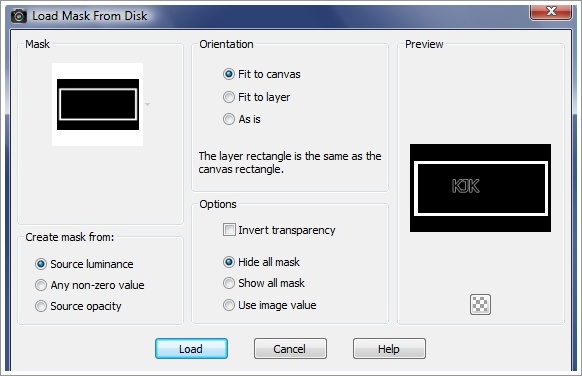
Layers : Merge : Merge Group
Effects : Plugins : Filters Unlimited : penta.com : penta.com : VTR2

Effects : Effects : Drop Shadow : 0 / 0 / 60 / 30 / #000000
Most így néz ki a képed :

05.
Most rá rakjuk a képünkre a "Blue City deco 2"
Edit : Copy
Edit : Paste As New Layer
06.
Most rá rakjuk a képünkre a "Blue City noci"
Edit : Copy
Edit : Paste As New Layer
Pick Tool segítségével a helyére rakjuk.
Layers : Merge : Merge Visible
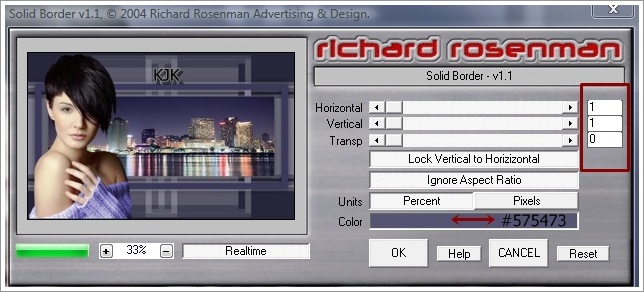
Effects : Plugins : Richard Rosenman : Solid Border : #575473
Layers : New Raster Layers
07.
Flood Fill Tool : #27253a
Effects : Plugins : Filters Unlimited : penta.com : penta.com : VTR2

Layers : Arrange : Send to Botton
Most katt a felső rétegre.
08.
Image : Resize : 92
Effects : Effects : Drop Shadow : 0 / 0 / 60 / 30 / #000000
Layers : Merge : Merge All (Flatten)
09.
File : Save As : JPG.JPEG : Mentés
****
Más színben